
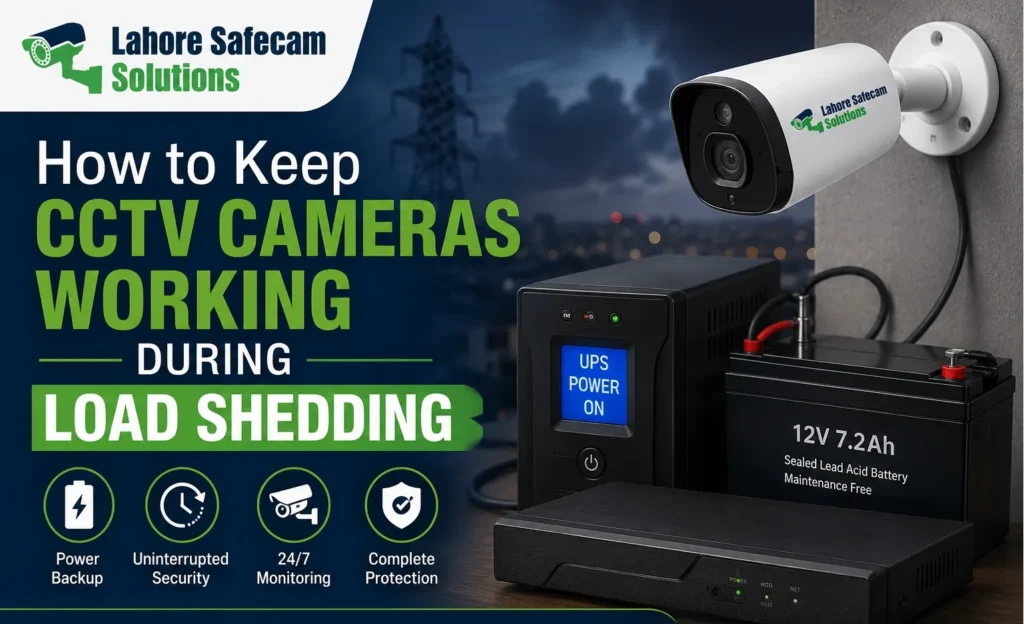
A CCTV system is most valuable when it keeps recording at the moments you need it. Yet during load shedding, many homeowners discover that their cameras, recorder or mobile viewing stop working because only part of the system has backup power. Keeping CCTV operational during load shedding is not simply a matter of connecting the DVR or NVR to a UPS. Cameras need power too. An IP system may also rely on a PoE switch, while remote monitoring usually depends on the router remaining powered. For homes and businesses in Lahore, the practical solution is to understand which components must stay on, calculate their combined power requirement and choose a backup system that supports them for the required period.
First, Find Out What Stops When the Electricity Goes Off
Before buying a larger UPS or another battery, test the system. When mains electricity fails, check whether the cameras continue recording, whether the DVR or NVR stays powered and whether you can still see live footage locally. Then check remote viewing from your phone. These tests can reveal the actual weakness in the setup.
For example, your recorder may stay on while the cameras lose power. In another installation, the cameras and recorder may continue operating but the router switches off, making the system appear offline from a mobile phone. Those are three different problems and they do not need the same solution.
A CCTV System Has More Than One Power Requirement
Think of CCTV as a chain rather than a single device. For recording to continue, the camera must capture video and the recording equipment must remain operational. Depending on how the system is installed, other equipment may also be essential.
A typical setup may include:
- CCTV cameras
- DVR or NVR
- Camera power supply
- PoE switch
- Router or modem
- Network switch
- Surveillance hard drive
A monitor usually does not need continuous backup if your priority is recording rather than watching footage on a screen during the outage. The key is to identify which devices are essential to the recording path.
Why Backing Up Only the DVR May Not Work
This is one of the most common mistakes with CCTV power backup. Suppose a DVR remains powered by a UPS, but the analogue cameras receive electricity from a separate power supply that is connected directly to the mains. When load shedding starts, the DVR stays on but receives no useful video because the cameras have switched off. The recorder is technically working, yet there is nothing meaningful to record. A backup plan therefore needs to include the camera power supply as well as the recorder. With network-based systems, the same principle applies in a different way.
How NVR and PoE Systems Behave During a Power Cut
Many IP CCTV systems use Power over Ethernet, or PoE, to deliver power and data through the same network cable. If the cameras connect directly to PoE ports built into the NVR, backing up the NVR may also keep those cameras powered, depending on the equipment design and available UPS capacity. If the cameras receive power through a separate PoE switch, that switch also needs backup electricity. Leaving it connected only to mains power means the IP cameras can switch off even when the NVR remains operational. Where are the cameras actually receiving power from? That answer determines which equipment belongs on the UPS.
Does CCTV Still Record When the Internet Goes Down?
A loss of electricity and a loss of internet are not the same problem. A properly configured local CCTV system can usually continue recording without internet access as long as the cameras, DVR or NVR and necessary local network equipment remain powered. The internet is mainly required when you want to access the system remotely, receive online notifications or use services that depend on an external connection. This distinction is important during load shedding. Your CCTV may still be recording correctly even though the mobile application shows the property as offline. Before assuming recording has stopped, check the recorder locally.
Why the Router May Need UPS Backup Too
If remote viewing matters during a power cut, the router should be considered part of the CCTV backup system. Imagine that your cameras and NVR continue recording on UPS power, but your router turns off. The CCTV footage may still be safely stored on the surveillance hard drive, yet you will probably lose access from your mobile phone until network connectivity returns. For a homeowner who only wants uninterrupted local recording, this may be acceptable. For a shop owner, office manager or homeowner who expects to monitor the property remotely during an electricity outage, keeping relevant network equipment powered is much more important.
What Size UPS Do CCTV Cameras Need?
There is no single UPS size that works for every CCTV installation. The correct capacity depends on the total power consumption of the equipment you want to keep running and how long you want the system to operate without mains electricity. A four-camera home CCTV system will normally have a different requirement from a 16-camera commercial installation with an NVR, several PoE cameras, network switches and a router. Before selecting a UPS, list every essential device and check its power requirement. This may include the recorder, camera power supply, PoE equipment and router. Once the approximate total load is known, backup capacity can be planned more realistically.
Do Not Judge Backup Time From Battery Size Alone
Two CCTV installations connected to similar UPS units may not provide the same runtime. Battery condition, equipment load, UPS efficiency, battery age and the number of connected devices can all influence how long the system remains operational. A battery that performed well when new may provide noticeably less runtime after repeated charging cycles or ageing. This is why CCTV battery backup should be tested rather than assumed. During routine maintenance, disconnect mains electricity safely and confirm how long the essential security equipment remains operational.
Should CCTV Run on an Inverter?
A home inverter can support CCTV equipment when the electrical system has been designed appropriately. For properties that already use inverter backup for selected circuits, the surveillance system may be connected to a suitable backed-up circuit. However, installation quality matters. CCTV equipment should not be added casually to an overloaded circuit or connected without considering voltage stability and total electrical demand. An inverter may provide longer backup than a small UPS in some situations, but the correct arrangement depends on the wider electrical setup of the property. Professional electrical guidance is advisable where wiring or circuit changes are required.
Can Solar Power Keep CCTV Running?
CCTV can form part of a solar-backed electrical system when sufficient generation, battery storage and appropriate power equipment are available. This does not mean simply connecting a security camera directly to a solar panel. The CCTV load needs to be included in the property’s overall energy design so that cameras, recorders and relevant network devices receive stable power during the required period. For a home already using solar with battery storage, CCTV is often a relatively small but important load to consider when deciding which circuits should remain operational during an outage.
Protect the System From Voltage Problems Too
Load shedding is not the only electrical issue that can affect surveillance equipment. Power returning after an outage may be accompanied by electrical conditions that are not ideal for sensitive electronic equipment. CCTV recorders, hard drives, network devices and camera power supplies all depend on stable electricity. A well-designed installation should therefore consider more than battery runtime.
Suitable power protection, quality power supplies and properly installed electrical equipment can help reduce unnecessary failures. Repeated unexpected shutdowns are also undesirable for recording equipment, particularly where a surveillance hard drive is constantly writing video data.
What Happens to CCTV Footage During a Power Failure?
Previously recorded footage stored on a functioning DVR or NVR does not normally disappear simply because the electricity goes off. The bigger concern is the period during which the system has no power. If cameras and the recorder shut down during a 40-minute power interruption, there may be no footage covering those 40 minutes. Once power returns, many systems can resume recording automatically, but this should be checked.
After an outage, confirm:
- All cameras have returned online
- The DVR or NVR is recording
- Date and time are correct
- The hard drive is detected
- Remote viewing is working
- No camera channels remain disconnected
A system that powers back on is not necessarily a system that has resumed recording correctly.
Test Your Backup Before You Actually Need It
A CCTV power backup system should not remain untested until the next unexpected outage. Carry out a controlled test while you are at the property. Confirm that the system switches to backup power and check the live camera feeds. Leave the system running long enough to establish whether the backup time is suitable for your requirements. After mains electricity returns, review footage from the test period. This confirms whether the system recorded continuously rather than simply remaining powered. Testing also helps identify ageing batteries before they fail at an inconvenient time.
A Practical Backup Setup for a Lahore Home
Consider a typical home with four cameras, a DVR and remote mobile viewing. For continuous recording during load shedding, the backup arrangement may need to keep the DVR and camera power supply running. If the homeowner also wants to check the cameras remotely, the router may require backup as well. Now consider an IP system with four PoE cameras connected through a separate PoE switch. In that case, the NVR, PoE switch and possibly the router could all be essential.
The two properties may have the same number of CCTV cameras, yet their backup requirements are different. That is why a CCTV UPS should be selected around the actual equipment rather than the number of cameras alone.
Common CCTV Backup Mistakes to Avoid
Buying backup equipment without checking the complete surveillance system can create a false sense of security.
Common problems include:
- Connecting the recorder to UPS but not the cameras
- Forgetting the PoE switch
- Expecting remote monitoring while the router has no backup
- Overloading a small UPS
- Using an ageing battery without testing it
- Assuming internet failure means recording has stopped
- Failing to check whether recording resumes after electricity returns
Fixing these basic weaknesses is often more useful than buying more cameras.
How to Keep CCTV During Load Shedding Reliable
The safest approach is to treat backup power as part of the CCTV design rather than an accessory added after installation. Start by identifying every device required for recording. Decide whether remote monitoring also needs to remain available. Calculate the combined electrical load and choose a backup solution that can support it for a realistic amount of time. For some properties, a correctly sized UPS may be sufficient. Others may already have an inverter, generator or solar battery system capable of supporting the security equipment. Whatever method is used, regular testing remains essential.
Build Power Backup Into Your CCTV Plan
Reliable surveillance is not only about camera resolution or where cameras are installed. Power continuity matters just as much. For Lahore homes and businesses, planning CCTV during load shedding means identifying the equipment responsible for capturing, transmitting and recording footage, then keeping those components powered for the required period.
Lahore Safecam Solutions can assess existing CCTV equipment, recording systems, camera power supplies, PoE networks and remote monitoring requirements before recommending a suitable setup. A properly planned CCTV system should keep protecting the property when mains electricity goes off, not leave an unnoticed gap in the recording.
Asked Questions
Do CCTV cameras work during load shedding?
CCTV cameras can continue working during load shedding when the cameras, recorder and any essential network equipment have suitable backup power. Without backup electricity, the affected equipment will normally stop operating.
Can CCTV record without electricity?
The system needs electrical power to operate. However, a UPS, inverter, battery-backed system or suitable alternative power source can allow CCTV recording to continue when mains electricity is unavailable.
Does a DVR need UPS backup?
If continuous recording during power cuts is required, the DVR needs backup power. The camera power supply must also remain operational or the recorder may stay on without receiving usable camera footage.
Does an NVR need internet to record?
Not necessarily. An NVR can record compatible IP cameras over a local network without internet access. Internet connectivity is generally needed for remote access and online services rather than basic local recording.
Should the router be connected to the CCTV UPS?
It may be necessary when remote monitoring is important during load shedding. Local recording can often continue without the router having internet connectivity, provided the required cameras, recorder and local network remain operational.
How long can CCTV run on a UPS?
Runtime depends on the UPS, battery capacity, battery condition and total power consumption of the connected equipment. It should be calculated and then verified through practical testing rather than estimated from camera count alone.