It is 9:30 on a busy evening. Customers are moving between tables, takeaway orders are leaving the counter, a supplier is using the rear entrance, staff are passing between the kitchen and storage area, and payments are being processed one after another. Now imagine that the next morning you need to review what happened at one particular moment, but the camera above the counter only shows the tops of people’s heads. That is the difference between simply owning CCTV and actually planning it properly. For CCTV for restaurants in Lahore, the most effective approach is to follow the movement of people, payments, stock, and deliveries through the premises. Cameras should be placed where footage can answer a useful question, not wherever installation happens to be easiest.
Think About What You May Need to Review Later
Restaurant CCTV should begin with scenarios, not camera numbers. Suppose a customer questions what happened during a payment. Which camera would show the counter clearly? If stock is missing after a delivery, can you see who entered the stockroom? If someone uses the rear entrance after closing, is that doorway covered? If there is an incident in the dining area, does your footage provide enough context to understand what happened? Those questions reveal where surveillance actually has value.
This is especially relevant in a large commercial city such as Lahore, where CCTV already forms part of the wider public-safety infrastructure. The Punjab Safe Cities Authority says its Lahore PPIC3 project has installed more than 10,000 surveillance cameras across over 2,000 locations. That public network is separate from private restaurant CCTV, but it shows how established video surveillance has become within the city’s broader security environment. For restaurant owners, the challenge is smaller but more specific: getting useful evidence from the right areas inside and around their own premises.
Follow the Customer From Door to Counter
The front entrance is one of the most valuable camera positions in a restaurant or café. A wide camera mounted high in a corner may show that someone entered, but it may not show the person’s face clearly. The entrance camera should therefore be positioned according to identification needs rather than simply maximising the field of view. Lighting also changes the result. A restaurant with a glass frontage may have bright daylight behind customers entering from outside. A poorly positioned camera can turn faces into dark silhouettes. The angle and the camera’s backlight handling should be checked during daytime conditions, not just after installation. Once customers reach the counter, the surveillance requirement changes.
Give the Cash Counter Its Own View
The cash counter or POS area is not the place to rely on a distant dining-room camera. A dedicated camera should provide a useful view of the transaction area, including the counter and relevant staff-customer interaction, without being positioned so high that it captures little more than heads and shoulders. Current restaurant and retail CCTV guidance consistently treats entrances and payment points as priority coverage areas because they provide more useful evidence than broad, unfocused views. For a restaurant handling both dine-in and takeaway orders, separate payment or collection points may also need to be considered. This is where thoughtful restaurant CCTV installation in Lahore is more valuable than simply adding more cameras.
Do Not Turn the Dining Room Into a Wall of Cameras
The dining area needs a different type of coverage. Here, the goal is usually context. You may want to understand movement between tables, see where an incident occurred, or review the sequence of events around a particular area. That often requires wider coverage rather than a close identification shot of every customer. Dome cameras are commonly used for indoor areas because they can provide broad coverage without dominating the room visually. Camera positioning should also respect the atmosphere of the restaurant. Customers are there to eat and socialise, not feel as though every table has its own camera pointed directly at it. The better approach is to cover movement routes and wider seating zones while reducing unnecessary blind spots.
The Back of the Restaurant Deserves Just as Much Attention
Many CCTV plans focus heavily on customers and overlook what happens behind the counter. Yet restaurants have continuous movement through kitchens, stock areas, staff access points and delivery doors. A supplier may arrive before opening. Stock may move between storage and food preparation areas throughout the day. Staff may use a rear entrance that customers never see. These areas can be important when planning security cameras for restaurants.
Watch the Kitchen Access, Not Every Cooking Station
Putting cameras directly above cooking equipment is not always the smartest solution. Heat, steam, grease, and regular cleaning make kitchens a demanding environment for electronic equipment. Restaurant-specific CCTV guidance often recommends giving particular attention to kitchen access and movement routes rather than automatically covering every work surface. A camera covering the kitchen doorway can show who moves in and out without unnecessarily filling the food-preparation area with cameras. The same principle applies to storage. If the important question is who accessed a stockroom, a well-positioned camera covering its entrance may provide more useful information than a poorly positioned camera somewhere inside.
Do Not Forget Deliveries and Rear Access
The front door gets attention because customers use it. The back door can be easier to forget. For many restaurants and cafés, however, the delivery entrance is used by suppliers, staff, and service personnel. It may also remain active before the dining area opens and after customers have left. That makes it an important point in a restaurant surveillance system. If there is an external bin area, service lane, or staff parking area nearby, camera positioning should be considered according to actual access routes. Outdoor cameras also require proper protection from dust, moisture, and changing weather conditions. Connections and junction boxes matter as much as the camera housing itself.
Decide What Happens to the Footage
Installing cameras is only half of the job. The footage needs somewhere to go.
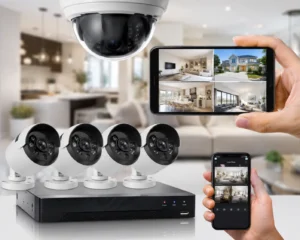
Restaurants can use a DVR with compatible analogue cameras or an NVR with IP cameras. Neither choice should be made purely because one system is newer. An existing restaurant may already have usable analogue cabling, making a DVR upgrade practical. A new installation may benefit from IP cameras and an NVR, particularly where PoE networking and future expansion are important. If you are comparing the two technologies, Lahore Safecam Solutions has a separate DVR vs NVR CCTV guide covering their main differences. Storage then needs to be calculated around the real system. Camera resolution, bitrate, recording schedule, number of cameras, and desired retention period all affect how quickly a hard drive fills. A café with four cameras does not have the same storage requirement as a large restaurant with sixteen cameras recording continuously.
Remote Monitoring Should Be Useful, Not Careless
Many restaurant owners want to check their premises from a phone, particularly when they are away from the site or managing more than one business. Modern DVR and NVR systems commonly support remote monitoring when connected and configured correctly. That convenience should come with sensible access control. The owner, manager and technician do not necessarily need identical permissions. Passwords should not remain at factory defaults, and access should be reviewed when staff responsibilities change. A useful question is: Who actually needs to view live footage, and who needs permission to export recordings? Keeping those roles clear makes the system easier to manage.
Plan for Lahore Power Interruptions
A restaurant CCTV system that stops recording every time electricity goes off has a serious weakness. Backup power should cover the equipment required for the recording chain, not just the screen in the manager’s office. Depending on the system, that may include the cameras, DVR or NVR, power supply, PoE switch, and network equipment. For example, an NVR may remain powered while its PoE switch shuts down. The recorder is technically running, but the cameras connected through that switch are no longer sending video. Lahore Safecam Solutions explains this issue in more detail in its CCTV during load shedding guide. Testing backup power during normal business operations is better than discovering the gap after footage is needed.
A Small Café and a Large Restaurant Should Not Use the Same Plan
There is no universal camera count. A compact café may mainly need coverage of its entrance, counter, seating area and rear access. A larger restaurant could have several dining sections, multiple POS points, a kitchen entrance, stockrooms, a manager’s office, takeaway collection, delivery access and external parking. Even two restaurants of similar size may need different systems because their layouts and operating patterns are different. This is why camera placement should come before equipment quantity. Current commercial CCTV guidance makes the same point: a few cameras with useful angles can provide more value than a larger number installed wherever cabling is convenient.
Review the Restaurant After Closing Time
One of the best CCTV checks happens when the last customer has left. Turn off the lights normally switched off at closing. Look at the entrance camera. Check the parking or outdoor seating area. Walk through the rear entrance. Review the stockroom access. Try to identify someone moving through a darker area. Then play the footage back from the recorder rather than relying only on the live monitor. This simple exercise can reveal glare, reflections, weak night vision, and blind spots that were not obvious during daytime installation. A system that works at lunchtime but becomes unclear after closing is only partially useful.
Build CCTV Around the Way Your Restaurant Actually Operates
Good CCTV for restaurants in Lahore is not about surrounding customers and staff with cameras. It is about putting useful cameras where important activity takes place. Follow the customer from the entrance to the counter. Follow stock from the delivery door to storage. Consider how staff move through back-of-house areas. Think about what happens after closing. Then choose recording, storage, remote viewing, and backup power that support those requirements. That approach creates a CCTV system that is easier to review and more useful when footage is genuinely needed.
Planning CCTV for a Restaurant or Café in Lahore?
Lahore Safecam Solutions can help assess entrances, cash counters, dining spaces, stock areas, delivery access, recording requirements, remote monitoring, and backup power before cameras are installed. For professional support, visit our CCTV Camera Installation in Lahore service to discuss a setup suited to your restaurant or cafe.
Asked Questions: CCTV for restaurants in Lahore
Where should CCTV cameras be installed in a restaurant?
Priority positions usually include the customer entrance, cash counter or POS area. General dining areas, kitchen access, stockroom entrances, rear doors, delivery points, and relevant outdoor areas. The final positions should depend on the restaurant’s actual layout.
How many CCTV cameras does a restaurant need?
There is no fixed number. A small café may need only a few cameras, while a larger restaurant may require considerably more. Entrances, payment points, blind spots, storage areas and external access should determine the quantity.
Should restaurants install CCTV inside kitchens?
Kitchen surveillance should be planned carefully. In many cases, monitoring kitchen entrances, stock routes and key access points may provide more practical coverage than placing cameras directly around hot, greasy cooking equipment.
Can restaurant owners watch CCTV from their phones?
Yes. Many modern DVR and NVR systems support mobile viewing when the recorder has suitable internet access and remote monitoring is configured correctly.
Should the cash counter have its own camera?
Usually, yes. A dedicated view of the cash or POS area generally provides more useful transaction footage than relying on a distant wide-angle camera.
Can restaurant CCTV work during load shedding?
It can continue recording if the cameras, recorder, and other essential equipment have correctly sized backup power. The exact setup depends on whether the system uses separate camera power supplies, PoE switches, and network equipment.
What is better for a restaurant, DVR or NVR?
Both can work. DVR systems can suit compatible analogue installations, while NVR systems are used with IP cameras and may provide greater networking and expansion flexibility. The existing infrastructure and future requirements should guide the decision.