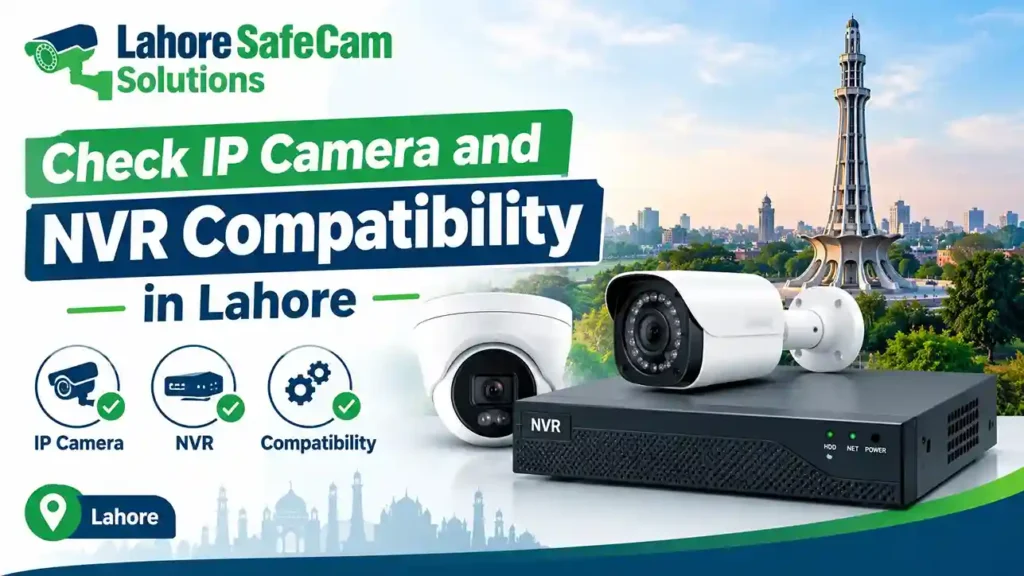
Choosing an IP camera is only one part of building a reliable CCTV system. Before purchasing new cameras or connecting them to an existing recorder, you need to confirm that the devices can communicate correctly. Incompatible equipment may cause connection errors, missing video, limited recording features, or problems with remote monitoring.
If you are planning an IP CCTV system for your home, shop, office, or warehouse in Lahore, checking compatibility before installation can save time and avoid unnecessary equipment costs. This guide explains how to check IP camera and NVR compatibility in Lahore, including ONVIF support, PoE requirements, network settings, resolution, bandwidth, and storage.
What Is IP Camera and NVR Compatibility?
IP camera and NVR compatibility means that a network camera can connect to a network video recorder and provide the video and features the recorder supports. An IP camera captures video and transmits it over a network. A network video recorder (NVR) receives the video streams and stores recordings on a hard drive or other supported storage.
However, two devices are not automatically compatible simply because both are IP-based. They may use different communication protocols, firmware versions, video formats, or advanced features. Before buying or connecting equipment, check the manufacturer’s compatibility list, supported camera specifications, and network requirements.
1. Check the Manufacturer and Supported Camera Models
The first step is to identify the exact model numbers of your IP camera and NVR. Similar-looking devices from the same manufacturer can have different specifications and compatibility requirements. Visit the manufacturer’s official product page or technical documentation and look for supported camera models.
Check the following details:
- Exact camera and NVR model numbers
- Supported network camera protocols
- Maximum supported video resolution
- Firmware versions and update requirements
- Available NVR channels
- Supported video compression formats
For example, an NVR may support a certain number of cameras but have a lower maximum incoming bandwidth than your planned system requires. In that situation, the cameras might connect, but the recorder may not handle every stream at the selected settings. For a CCTV system in Lahore, verify these specifications before ordering replacement cameras or expanding an existing installation.
2. Check ONVIF Compatibility
ONVIF is an industry organization that develops standards to help compatible IP-based security products communicate across manufacturers. ONVIF support can make it easier to connect cameras and NVRs from different brands, but it does not guarantee complete compatibility. Check whether both devices support the relevant ONVIF profiles and whether the specific functions you need are supported. For example, basic video streaming may work while features such as smart motion detection, two-way audio, event notifications, or advanced playback controls may be unavailable.
Use this checklist:
- Check the camera’s official ONVIF information.
- Confirm the NVR supports the relevant ONVIF profile.
- Review the manufacturer’s compatibility documentation.
- Confirm the camera’s firmware is supported.
- Test live viewing, recording, playback, and required features.
Do not rely only on a product listing that says ONVIF supported. Verify the details for your specific camera and recorder models.
3. Confirm PoE and Power Requirements
Power over Ethernet (PoE) allows a compatible IP camera to receive power and network connectivity through a single Ethernet cable. It can simplify installation by reducing the need for a separate power cable at each camera. However, not every NVR has built-in PoE ports. If your NVR does not provide PoE, you may be able to power compatible cameras using a separate PoE switch or suitable power adapters. The network arrangement must still allow the cameras to communicate with the recorder.
Before connecting the equipment, check:
- Whether the camera supports PoE and which standard it uses
- Whether the NVR has built-in PoE ports
- Whether a separate PoE switch is required
- Whether the switch has enough power capacity for all connected cameras
- Whether the Ethernet cable and installation distance meet the device specifications
For multi-camera installations in Lahore homes and businesses, check the total PoE power budget rather than assuming that every switch can power every connected camera.
4. Match Camera Resolution and NVR Bandwidth
Resolution affects video detail, while bandwidth determines how much video data the recorder can receive and process. An IP camera may offer 2MP, 4MP, 5MP, or 4K video. Your NVR must support the selected resolution and have enough incoming bandwidth for the combined camera streams.
For example, if several high-resolution cameras operate simultaneously, their combined data rates may exceed the recorder’s capacity. This can result in unstable streams or limitations on the number of cameras that can record at full quality.
Check these specifications before purchasing:
| Compatibility factor | What to verify |
| Resolution | Maximum resolution supported by the NVR |
| Incoming bandwidth | Combined bitrate of all camera streams |
| Frame rate | Supported frames per second |
| Compression | Compatible formats such as H.264 or H.265 |
| Channels | Number of camera connections supported |
| Decoding | Any limits on live-view or playback performance |
Choose the camera settings according to your monitoring needs and recorder capacity. A compatible system should support the required image quality without exceeding the equipment’s technical limits.
5. Check Network Settings and IP Addresses
IP cameras and NVRs must have a suitable network connection to exchange video. Incorrect IP addresses or network settings can prevent a camera from appearing in the recorder. When connecting devices, check whether the camera and NVR are on the same network or whether the system has been configured to route traffic between their networks.
Important settings include:
- IP address
- Subnet mask
- Default gateway, where required
- Network port and protocol settings
- Camera username and password
- Router or switch connectivity
Avoid assigning duplicate IP addresses to different devices. If two cameras use the same address, one or both may become unreachable. Some PoE NVRs create a separate internal network for cameras. In these systems, cameras may need to connect through the NVR’s dedicated PoE ports rather than the main local network. If a camera is not detected automatically, follow the manufacturer’s network configuration procedure instead of changing settings randomly.
6. Verify NVR Storage and Recording Features
Successful camera connectivity does not necessarily mean every recording function will work correctly. Check that the NVR supports the intended recording settings and has sufficient storage capacity. Storage requirements depend on the number of cameras, resolution, frame rate, compression, recording schedule, and required retention period.
Before finalizing the system, confirm:
- The NVR supports the planned hard drive capacity.
- The hard drive is suitable for surveillance recording.
- Continuous or motion-triggered recording is available as required.
- The recorder supports playback and exporting footage.
- Camera event and smart detection features work with the NVR.
For a home, shop, or office in Lahore, choose storage according to how long you need to keep recordings. Do not assume that adding more cameras will automatically provide enough recording days with the existing hard drive.
7. Can Different Brands of IP Cameras Work with One NVR?
Yes, different brands of IP cameras may work with the same NVR if their protocols, video formats, network requirements, and supported features are compatible. However, some functions may be limited when connecting equipment from different manufacturers. Basic live viewing and recording might work, while advanced analytics or camera-specific settings may not be available. For the most predictable results, use a camera listed as compatible by the NVR manufacturer. If you are mixing brands, test the specific models and required features before purchasing equipment for the entire property.
8. Troubleshooting IP Camera and NVR Connection Problems
If an IP camera does not connect to your NVR, check the basic network and configuration settings first.
- Camera not detected: Check Ethernet connections, power, IP address settings, and whether the camera is supported by the NVR.
- Incorrect username or password: Confirm the camera’s login details and follow the manufacturer’s procedure for adding the device.
- Live video works but recording does not: Review the recording schedule, storage status, camera permissions, and NVR configuration.
- Video is unstable: Check network quality, cable condition, switch capacity, and total incoming bandwidth.
- Advanced features are missing: Verify ONVIF profiles, firmware support, and whether the recorder supports those camera functions.
Update firmware only after confirming that the update is intended for the exact device model and hardware version. Incorrect firmware can cause additional problems.
IP Camera and NVR Compatibility Support in Lahore
If you are installing a new CCTV system or upgrading existing equipment, compatibility checks should happen before the cameras are mounted and cables are routed. A professional CCTV technician can review camera models, NVR capacity, network layout, PoE requirements, storage, and mobile viewing configuration. This is particularly useful for multi-storey homes, shops, offices, and commercial properties where several devices must work together. For local assistance, you can explore CCTV camera installation in Lahore or contact your CCTV provider to discuss your equipment and requirements.
Frequently Asked Questions
How do I check IP camera and NVR compatibility?
Check the exact model numbers, supported protocols, ONVIF profiles, resolution, bandwidth, firmware, and recording features. The manufacturer’s compatibility list is the best starting point.
Can I connect different brands of IP cameras to one NVR?
Yes, provided the devices support compatible protocols and video formats. However, some advanced functions may not work across different brands.
Does an IP camera need ONVIF support to connect to an NVR?
Not always. Some cameras connect through a manufacturer’s proprietary protocol. ONVIF can help with cross-brand compatibility, but support must be confirmed on both devices.
Can a PoE camera work with a non-PoE NVR?
Yes. A compatible external PoE switch or suitable power adapter can supply power to the camera. You must also configure the network so the camera can communicate with the NVR.
How many IP cameras can one NVR support?
It depends on the NVR’s channel count, incoming bandwidth, resolution limits, and processing capacity. Check the product specifications before expanding the system.
Why is my IP camera not showing on the NVR?
Common reasons include insufficient power, incorrect IP settings, network connection problems, unsupported protocols, incorrect login details, or incompatible firmware.
Can I use 4K IP cameras with an older NVR?
Only if the NVR supports the camera’s resolution, stream format, and bandwidth requirements. Otherwise, you may need different camera settings or a compatible recorder.
Where can I get IP camera system setup assistance in Lahore?
You can contact a local CCTV installation provider to check your camera and NVR models, network setup, PoE requirements, and recording configuration before installation.