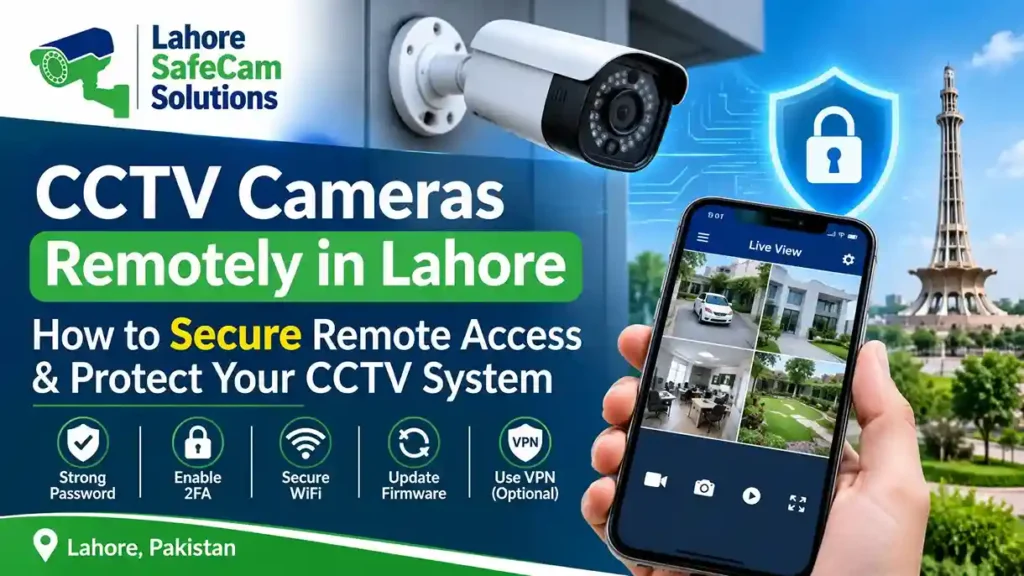
Modern CCTV security systems allow homeowners and businesses to monitor their properties even when they are away. Whether you manage an office in Johar Town, own a house in DHA Lahore, or operate a retail shop in Model Town, remote CCTV access helps you stay connected to your security system from almost anywhere. However, connecting security cameras to the internet also creates potential security risks. Weak passwords, outdated firmware, unsecured WiFi networks, and incorrect remote access settings can expose your surveillance system to unauthorized users.
To securely access CCTV cameras remotely in Lahore, use a trusted manufacturer application, create strong passwords, enable two-factor authentication when available, update camera firmware, and protect your network connection. These measures help reduce unauthorized access while allowing you to monitor your property conveniently.
What Is Secure Remote CCTV Camera Access?
Secure remote CCTV camera access allows authorized users to connect to their surveillance systems through the internet without being physically present at the property. For example, if CCTV cameras are installed at your home in Johar Town, you can check live footage while travelling or working elsewhere in Lahore. Remote access generally works through an internet-connected DVR, NVR, or IP camera. The recording device communicates with a mobile application or computer software, allowing authorized users to view live video and available recordings.
Common remote access methods include:
- P2P connectivity: Allows compatible CCTV devices to connect through the manufacturer’s remote access service.
- Manufacturer mobile applications: Provide authorized access to live video and recorded footage.
- VPN connections: Create an encrypted connection to your private network.
- Secure network configuration: Protects cameras and recording devices from unnecessary internet exposure.
The safest configuration depends on your camera brand, recorder model, network equipment, and available security features.
How Can I Securely Access My CCTV Cameras Remotely in Lahore?
Follow these practical steps to improve the security of your remote CCTV connection.
1. Use the Official CCTV Mobile Application
Always use the official mobile application provided by your CCTV manufacturer. Popular CCTV brands such as Hikvision, Dahua, and IMOU offer applications designed to connect compatible cameras and recording devices.
Before installing an application:
- Download it from the official Google Play Store or Apple App Store.
- Verify the developer and application name.
- Avoid unofficial applications from unknown websites.
- Keep the application updated.
- Enable available account security features.
For example, compatible Hikvision systems can use Hik-Connect, while compatible Dahua devices can use DMSS. Using the correct application reduces the risk of connecting your surveillance system through an unreliable third-party service.
2. Create Strong Passwords for CCTV Cameras
Default passwords are one of the common security weaknesses in CCTV installations. Some users continue using factory login credentials because they are easy to remember. However, predictable passwords can make surveillance devices more vulnerable to unauthorized access. Create a unique password for your camera, DVR, or NVR administrator account.
A strong password should:
- Contain at least 12 characters where supported.
- Include uppercase and lowercase letters.
- Include numbers and special characters.
- Avoid personal information and common words.
- Be different from your WiFi and email passwords.
If multiple people need CCTV access, create separate user accounts with appropriate permissions instead of sharing the administrator password.
3. Enable Two-Factor Authentication
Two-factor authentication (2FA) adds another layer of protection to your CCTV account. When this feature is available, users must complete an additional verification step after entering their password. For example, a login attempt may require a verification code or approval through an authorized device. This makes unauthorized account access more difficult, even if someone discovers your password. Check your CCTV manufacturer’s application and account settings to see whether two-factor authentication is supported.
4. Protect Your CCTV WiFi Network
Wireless CCTV cameras depend on a network connection to communicate with recording devices, mobile applications, or cloud services. An unsecured router can create risks for connected surveillance equipment.
To improve your network security:
- Use WPA2-AES or WPA3 encryption where supported.
- Change the default router administrator password.
- Keep router firmware updated.
- Disable WPS if it is not required.
- Use a separate network or VLAN for CCTV equipment when practical.
- Avoid connecting security cameras to public WiFi networks.
For homes and businesses in Lahore, these precautions are particularly useful when several devices share the same internet connection.
5. Keep CCTV Firmware Updated
Firmware is the software that controls your camera or recording device. Manufacturers sometimes release firmware updates to fix security vulnerabilities, improve device performance, and address technical problems. Using outdated firmware may leave your CCTV equipment exposed to known security issues. Check your manufacturer’s official website or device management application for compatible updates.
Before installing firmware:
- Confirm the exact camera or NVR model.
- Download the correct firmware from the official manufacturer.
- Read the installation instructions.
- Back up important settings where possible.
- Avoid interrupting the update process.
Never install firmware from unknown websites or use software designed for a different camera model.
6. Avoid Unnecessary Port Forwarding
Port forwarding allows external devices to connect to specific services inside your local network.
- Although it can be used for remote CCTV access, exposing DVR, NVR, or IP camera ports directly to the internet may increase security risks.
- If remote viewing is required, consider a secure manufacturer-supported P2P connection or a properly configured VPN.
- If port forwarding is necessary for a particular professional setup, use restricted access, strong authentication, updated firmware, and firewall rules.
Do not expose unnecessary services or administrative interfaces to the public internet.
7. Use a Secure VPN Connection When Appropriate
A Virtual Private Network (VPN) can provide an encrypted connection between your remote device and your private network. For example, a business owner travelling outside Lahore may connect to the office network through a properly configured VPN before accessing internal CCTV devices. A VPN can help reduce direct internet exposure, but it must be configured correctly. Use a trusted VPN solution, protect VPN login credentials, update the router or VPN server, and restrict access to authorized users.
Common CCTV Remote Access Security Mistakes
Even a professionally installed CCTV system can become vulnerable if basic security practices are ignored.
Here are some mistakes to avoid:
| Common mistake | Recommended solution |
|---|---|
| Using default passwords | Create unique, strong passwords |
| Sharing administrator credentials | Create separate user accounts |
| Ignoring firmware updates | Install verified manufacturer updates |
| Using unsecured WiFi | Enable WPA2 or WPA3 encryption |
| Exposing camera ports publicly | Use secure P2P or VPN access |
| Installing unofficial applications | Use official manufacturer applications |
| Giving everyone full access | Apply role-based permissions |
Regularly reviewing these settings can help maintain the security of your CCTV surveillance system.
What Should You Check Before Enabling Remote CCTV Access in Lahore?
Before configuring remote monitoring, make sure your equipment and internet connection are suitable for the task.
- Internet connectivity: Your camera or recording device needs a stable internet connection for remote communication. Upload bandwidth is particularly important for smooth live video streaming.
- Compatible equipment: Confirm that your IP camera, DVR, or NVR supports the required remote access method.
- Mobile application compatibility: Check whether your device supports the manufacturer’s application and current software version.
- User permissions: Only authorized individuals should have access to live footage and recordings.
- Network security: Ensure that your router, WiFi settings, and connected CCTV devices are properly protected.
If you need professional assistance, Lahore SafeCam Solutions can help with CCTV installation, device configuration, and remote monitoring setup in Lahore. You can also explore our CCTV Camera Installation Services in Lahore for information about surveillance installation solutions.
Why Professional CCTV Configuration Matters
Correct installation is only one part of a reliable security system. Network configuration and account security are equally important when enabling remote access. An experienced CCTV technician can check device compatibility, configure secure network connections, update firmware, and test remote access functionality.
For homeowners, offices, shops, and commercial properties in Lahore, professional configuration can help reduce common installation and connectivity problems. Lahore SafeCam Solutions provides CCTV installation and technical support for different property requirements. Before choosing a remote monitoring setup, discuss your camera models, recording requirements, internet availability, and security expectations with an experienced installer.
Final Thoughts
Secure CCTV remote access gives homeowners and business owners greater control over their surveillance systems. However, internet connectivity should never come at the expense of security. Using official applications, strong passwords, two-factor authentication, secure WiFi settings, and updated firmware can help protect your surveillance equipment from unauthorized access. If you are planning a new CCTV installation or need help configuring remote monitoring in Lahore, choose a setup that considers both reliable performance and network security.
Questions About Secure CCTV Remote Access in Lahore
How can I securely access my CCTV cameras remotely in Lahore?
You can securely access CCTV cameras remotely by using the official manufacturer application, setting strong passwords, enabling two-factor authentication, and keeping your camera firmware updated. Your DVR, NVR, or IP camera must also have a stable internet connection and properly configured remote access settings.
Is it safe to access CCTV cameras through a mobile application?
Yes, remote CCTV monitoring through a mobile application can be safe when you use an official application, strong login credentials, supported encryption, and updated software. Avoid sharing account details or installing applications from untrusted sources.
Can hackers access CCTV cameras through WiFi?
Yes, poorly secured wireless networks and cameras may be vulnerable to unauthorized access. Weak passwords, outdated firmware, and unsecured router settings can increase the risk. Use WPA2 or WPA3 encryption and secure every connected device.
Do I need a VPN for secure CCTV remote access?
A VPN is not always necessary. Many modern CCTV systems support manufacturer-managed P2P remote access. However, a properly configured VPN can provide an additional layer of network protection, particularly for business surveillance systems.
How often should I update my CCTV camera firmware?
Check for manufacturer firmware updates regularly and install security updates when they become available for your specific device. Always verify compatibility and follow the manufacturer’s instructions.
Can I securely access my office CCTV cameras while travelling?
Yes. You can access compatible office CCTV systems remotely using an authorized mobile application or secure VPN connection. Make sure your recording device is connected to the internet and that remote access is properly protected.